Chat with your group on a list
Last updated
Every list has its own chat, so questions like “Who’s booking the airport transfer?” stay next to the tasks they are about.
Post a message
- Open a list and go to the Chat tab.
- Type in the box (“Post a message…” on the web, “Message the team…” on iPhone) and send it. Messages can be up to 2,000 characters.
- Everyone on the list sees it. On the web, a Live badge shows that new messages arrive without refreshing.
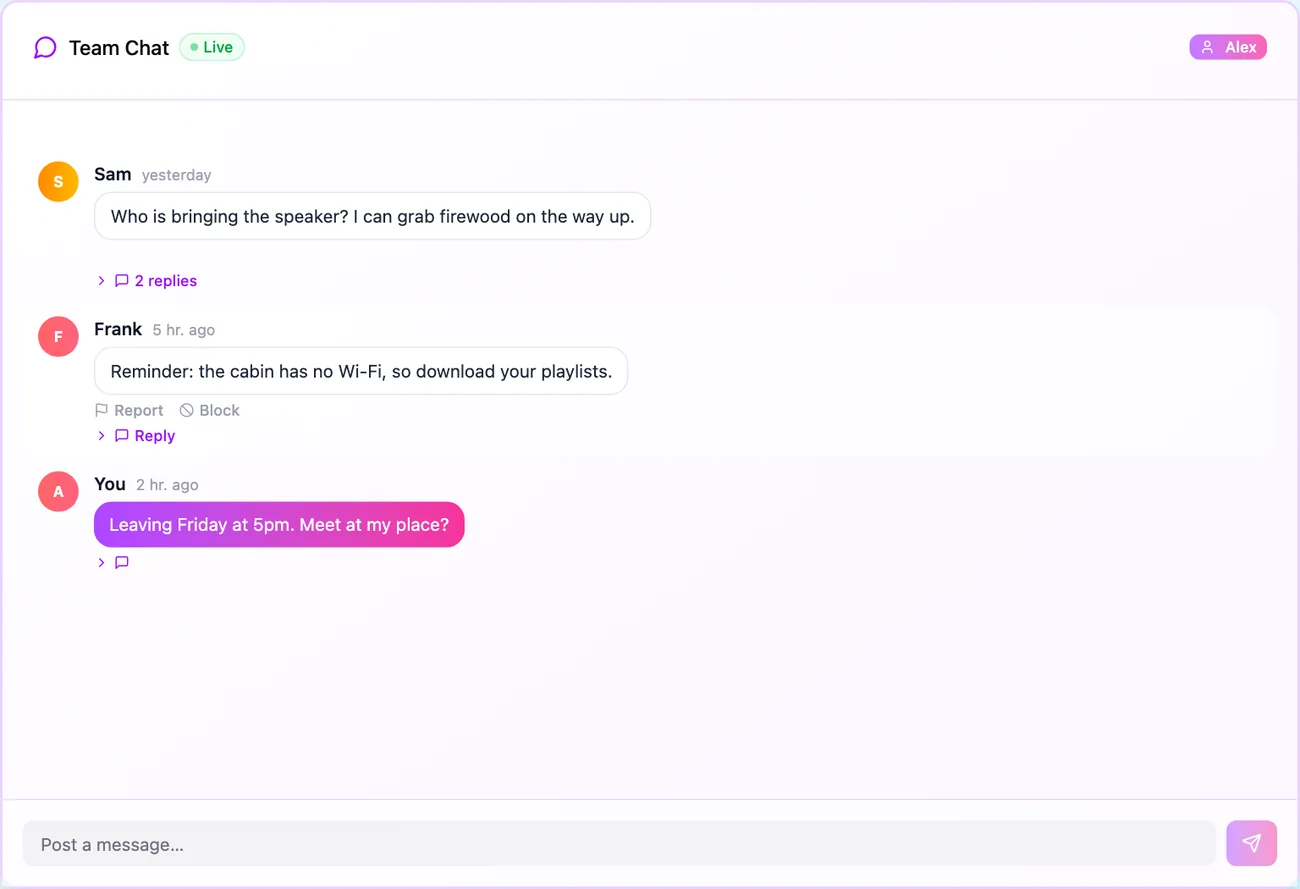
Reply in a thread
- Click Reply under a message.
- Type in “Reply in thread…” and send. The message shows a count such as “2 replies”.
Threads keep one topic together so the main chat does not turn into a wall of text.
Report or block a message
- Web: use Report or Block under someone else’s message.
- iPhone: press and hold the message, then choose Report message or Block Frank.
When you report, you can say what is wrong. The ReadyList team receives that message so they can review it. When you block someone, you stop seeing their messages.
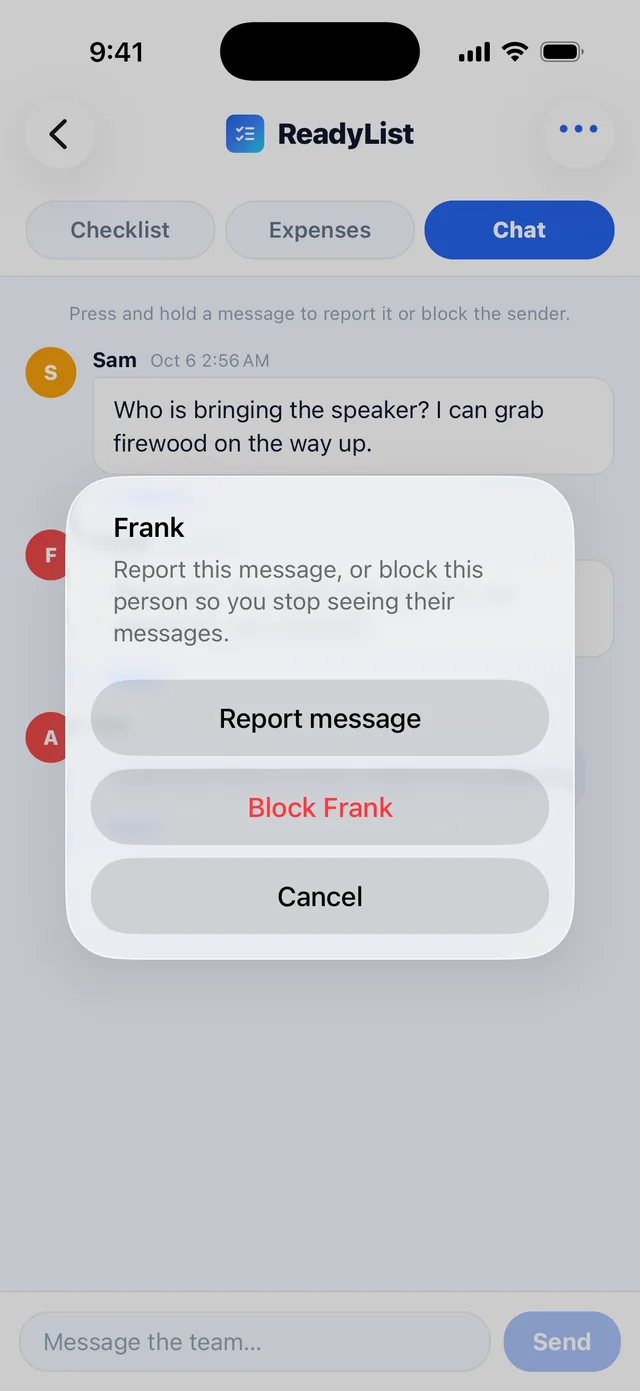
To unblock someone, open your account settings. See Language, notifications and account settings.
Stay in the loop
- On the web, new messages appear on their own while the Chat tab is open. You do not need to refresh.
- On iPhone, the chat updates as people write, and ReadyList sends a notification when someone posts or replies in one of your lists. Turn those off in your phone’s notification settings, or see Language, notifications and account settings.
- Only members see it. Each list’s chat belongs to that list. Someone you have not invited cannot read it, even with the list’s name.
A good habit: put decisions in chat, and put the things you must do in the checklist. When someone says “I’ll book the transfer”, assign them the task so it shows up in their Mine view. See Add tasks, assign them and track progress.
Frequently asked questions
- Who can read the chat?
- Everyone who is a member of that list, and nobody else. ReadyList staff do not read chat. If you report a specific message, the team sees that message.
- Will someone know I blocked them?
- No. Blocking is private. You stop seeing their messages, and they are not told. They stay on any lists you share.
- Do I get notified of new messages?
- On iPhone, yes: ReadyList sends a notification for new messages in your lists, and you can turn notifications off in your phone's settings.
Related
More help guides
- Add tasks, assign them and track progress
- Invite your group to a ReadyList
- Language, notifications and account settings
From the blog
Ready to try it?
Every person gets their own checklist, and you can see who is actually ready.
Open ReadyList — it’s free